Easy Polls adds a simple poll to any Trello card. Members vote with a single click and see results instantly as clear horizontal bars with voter avatars. A badge on the card front shows how many votes have been cast, so the team knows where a decision stands without opening the card.
Getting started
To start running polls on your board, complete three quick steps below. If you're an experienced power-up user, you can skip reading this section.
Enable power-up
First, enable Easy Polls on your Trello board. Click Power-Ups (the rocket icon) in the board header, then Add Power-Ups. Search for "Easy Polls" and click Add. See Enabling power-ups if you run into trouble.
Authorize power-up
Next, authorize the power-up to access your board data. Click the Easy Polls button in the board header. When Trello's authorization window appears, review the permissions and click Allow.
Start subscription
Easy Polls requires a paid subscription, with a 7-day free trial. Click the Easy Polls button in the board header, and click Subscribe. You'll be redirected to Stripe to process payment safely, then back to your board. See Managing subscriptions to learn more.
Creating a poll
Once the power-up is active, you can add a poll to any card:
- Open a card and click Add poll in the Easy Polls section.
- Enter a title and at least two options.
- Click Save.
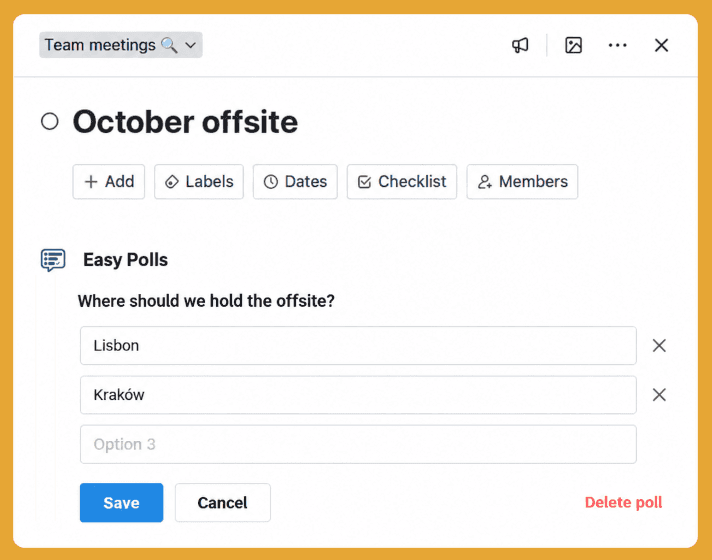
To change the poll later, click the pencil icon next to the title. You can edit the title and options, or delete the poll.
Voting
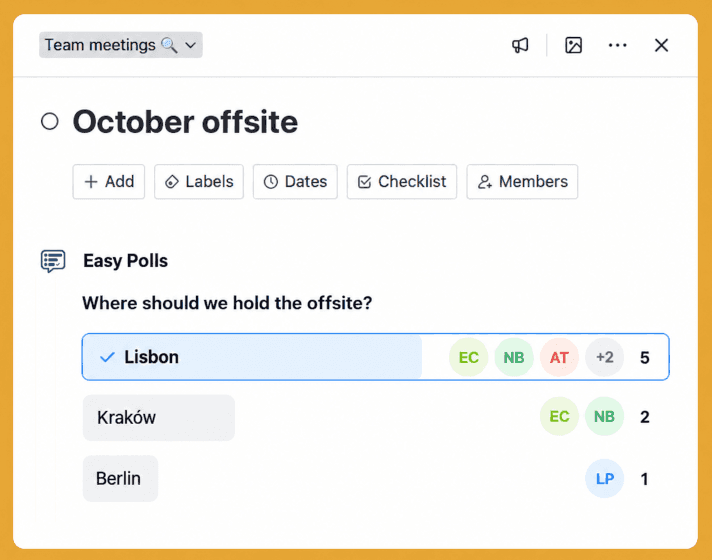
Click an option to vote. Click it again to remove your vote, or click another option to change it. Results update immediately as horizontal bars sized by share of votes. Avatars show who voted for each option, and your own choice is highlighted.
The front of the card shows a badge with the number of votes cast, so you can see where the decision stands without opening the card.
When voters are allowed to add options, an Add option field appears under the results.
Customizing voting rules
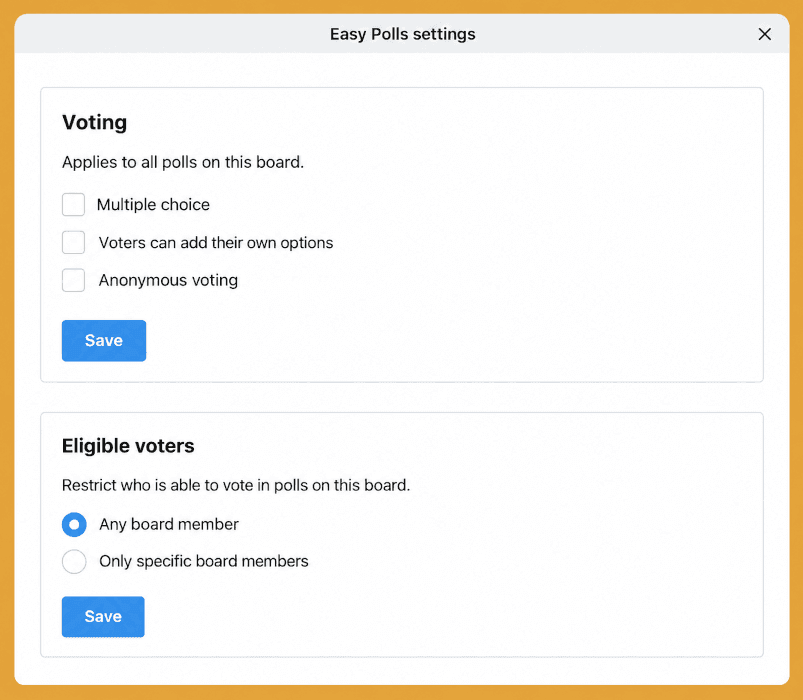
Voting rules apply to every poll on the board. Click the Easy Polls button in the board header to change them:
- Multiple choice: let voters select more than one option, with a limit on how many.
- Voters can add their own options: let voters add options to a poll.
- Anonymous voting: hide who voted for each option.
- Eligible voters: allow any board member to vote, or only specific members.